PDF app for Android
Open, sign and mark up PDFs in seconds
Grifel opens the file you were just sent — no welcome screens, no sign-up, no ads — and works without internet. Your documents never leave your phone.
Free on Google Play · Android 9 and newer
- No ads
- on every plan
- No account
- open the app and go
- Offline
- works without internet
- About 10 MB
- download on Google Play
- 5 languages
- EN · ES · FR · DE · RU
What it does
The everyday PDF jobs, without the detours


Open what you were sent
Tap a PDF in a messenger or in your email and choose Grifel. The document is on screen at once, and Back returns you to the chat.
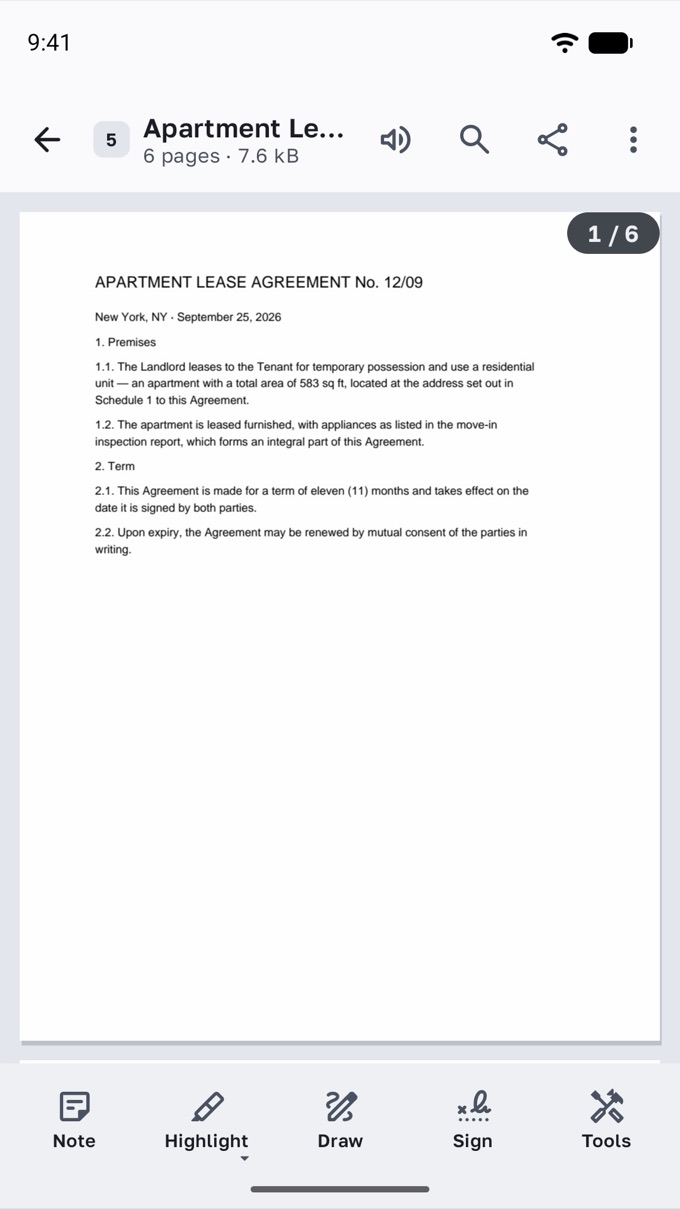
Fig. 2 A lease agreement open in Grifel, page 1 of 6 Fill in a form and sign it
Type on any form — text snaps to the lines. Add check marks, the date and your signature, then send a copy the other side can't edit.
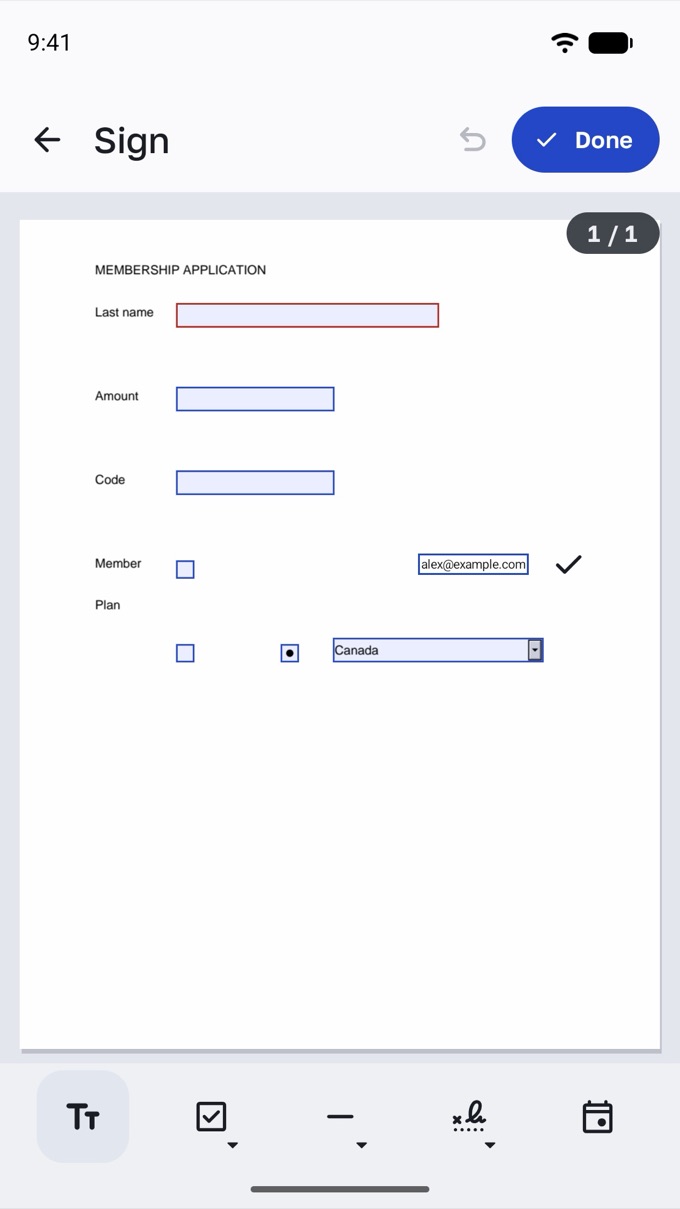
Fig. 3 A membership form with an email address typed next to a field Mark up a contract
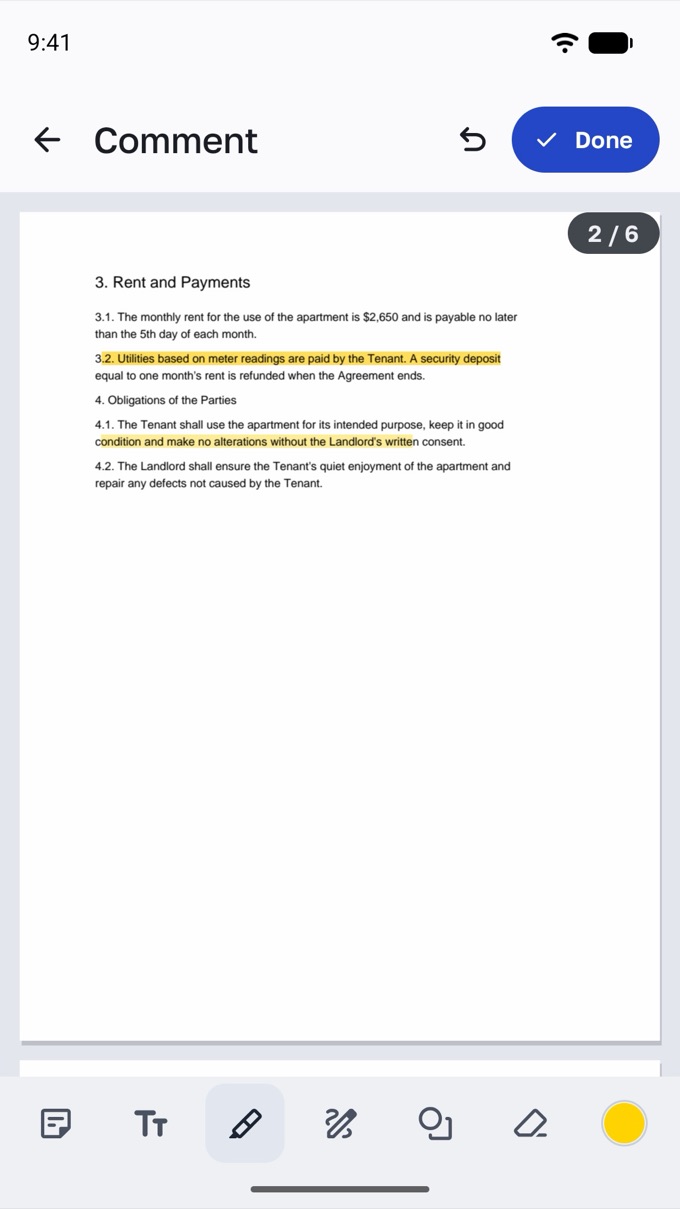
Highlight clauses, add notes and draw. Every comment is collected in one list, with replies.
Fig. 4 Two clauses of a contract highlighted in yellow in comment mode Find the line you need
Search highlights every match on the page and lists them all. Contents and bookmarks take you to the right place.
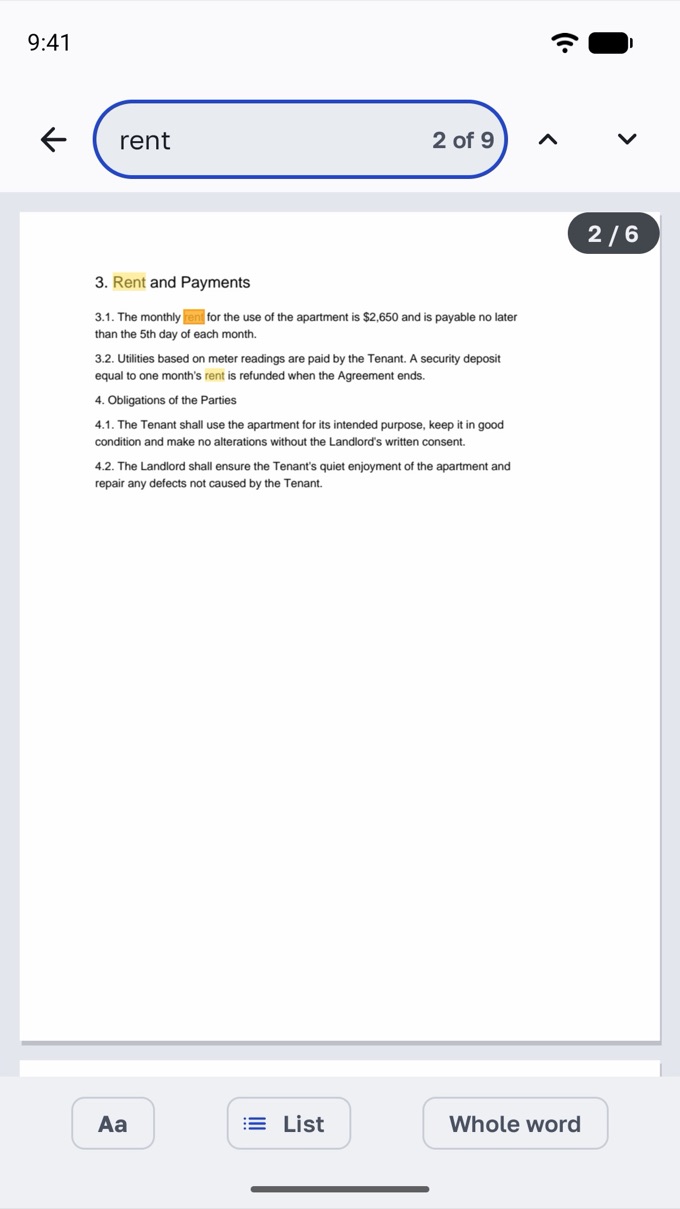
Fig. 5 Search for the word rent, second of nine matches highlighted Put pages in order
Rotate, delete and reorder pages for free. Combine, split and compress files with Premium.
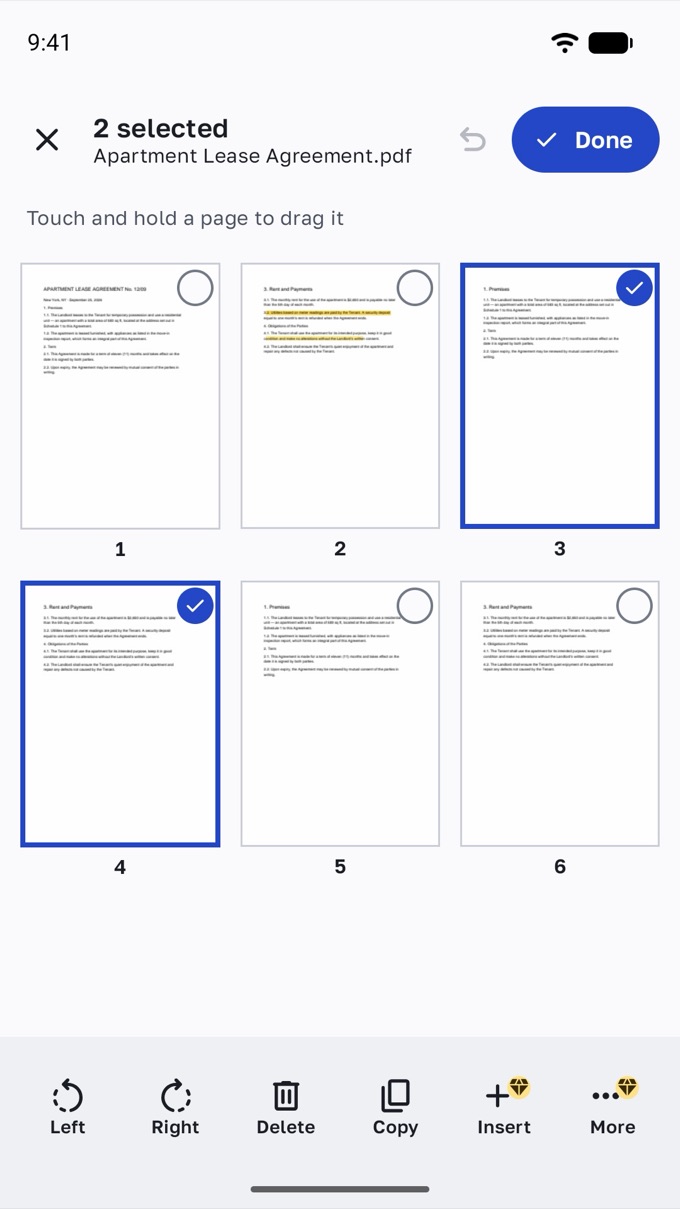
Fig. 6 A grid of six page thumbnails with two pages selected Listen instead of reading
Read aloud uses the voices on your phone and keeps going with the screen off.
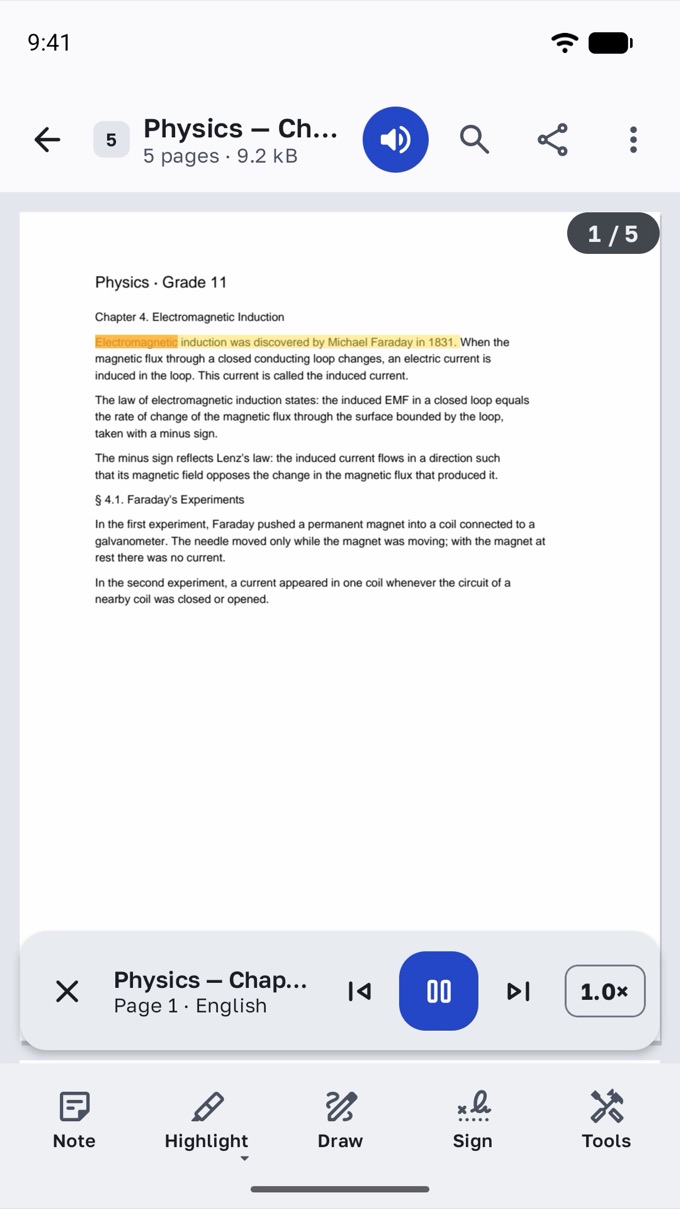
Fig. 7 A physics textbook being read aloud, the current sentence highlighted
Edit without fear
Changes save themselves as you work. Saved something by mistake? Undo it right after saving, or bring back an earlier version from the history.
- Automatic saving
- Undo after saving
- Version history
Privacy
Your documents never leave your phone
- Everything happens on your device
- Files are opened, edited and saved on your phone. We never upload them and cannot see them.
- No account, no ads
- Nothing to sign up for, and nothing that tracks you for advertising.
- Works offline
- Reading, signing, marking up and organizing work without internet, even in airplane mode.
- Anonymous statistics you control
- Usage stats and crash reports never include file names or document content. In the EU, the UK and Switzerland they stay off until you allow them; anywhere, you can turn them off in Settings.
Pricing
Free for everyday work. Premium when you need more.
Free
- Read, search, contents and bookmarks
- Highlight, notes, text and drawing
- Fill in forms and sign
- Scan documents and turn photos into a PDF
- Rotate, delete and reorder pages
- Read aloud, tabs and version history
Premium 7 days free
- Compress PDFs for email
- Combine and split files
- Insert, extract and crop pages
- Set and remove passwords
- Export pages as images
The yearly plan starts with 7 days free. You see the price before you confirm, we remind you 2 days before the first charge, and you can cancel anytime in Google Play → Subscriptions.
In the US: $49.99 a year or $9.99 a month. Local prices are shown in Google Play before you pay.
Questions
Questions, answered
Does Grifel work without internet?
Yes. Reading, searching, marking up, filling in and signing, organizing pages, compressing and read aloud all work offline. Only the document scanner needs Google Play services on your phone.
Are my documents uploaded anywhere?
No. Grifel processes files on your phone and never uploads them. A file leaves your phone only when you share or print it yourself. The only other things that can be sent are optional anonymous statistics and crash reports, listed in the privacy policy. Purchases and subscriptions are handled by Google Play; the app only receives the subscription status.
What is free, and what is Premium?
Reading, annotations, forms and signatures, scanning, page order and read aloud are free and stay free. Premium adds compression, combining and splitting, page insert, extract and crop, passwords and export to images.
How does the free trial work, and how do I cancel?
The yearly plan starts with 7 days free. We remind you 2 days before the first charge. Cancel anytime in Google Play → Payments & subscriptions → Subscriptions; you keep Premium until the end of the paid period.
Will it open PDFs from my messenger or email?
Yes. Tap the file and choose Grifel in Open with. You can also pick files from your phone, Google Drive and other storage apps.
Which devices are supported?
Phones and tablets with Android 9 or newer. On tablets Grifel shows documents in tabs and panels side by side.
Which languages does it speak?
English, Spanish, French, German and Russian. Grifel follows your phone's language, and you can also choose one in Grifel's settings.
Is a signature made in Grifel legally binding?
Grifel creates a simple electronic signature: your signature or initials placed on the page. Whether that is enough depends on the law of your country and on the other party.
Is there an iPhone version?
Not yet. Grifel is made for Android first.
Your next PDF, done in seconds
Grifel is free to use. No account, no ads.